
Recent Projects
Recent Project
Google Workspace to Microsoft 365 Migration for a Growing Consulting Firm
Consolidating Email, Calendars, Files, Identity, & Collaboration into a Secure Microsoft 365 Business Premium Environment
Creating a Unified Microsoft 365 Environment
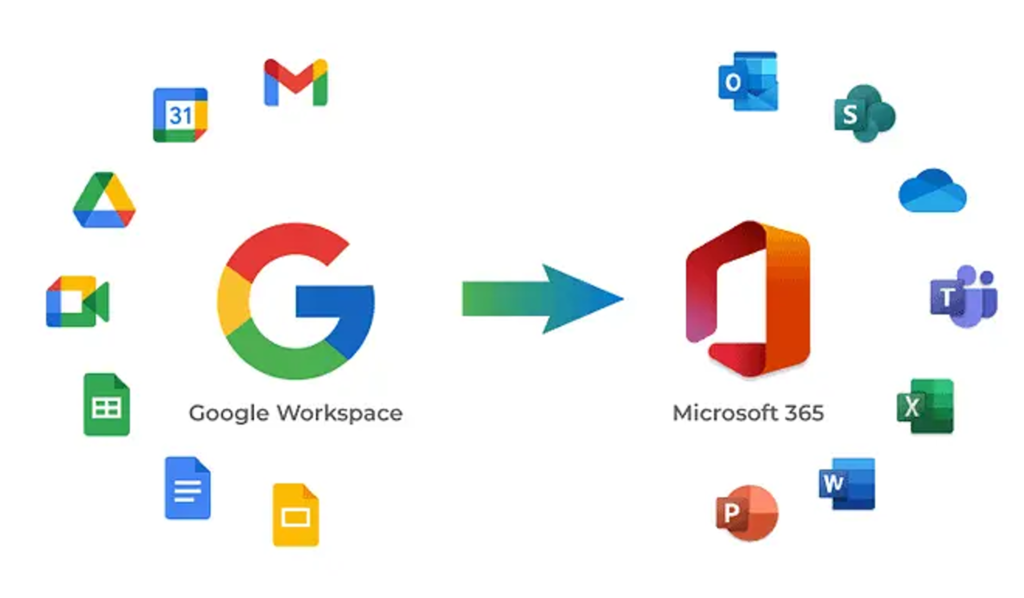
This growing consulting organization was operating across both Google Workspace and Microsoft 365, creating unnecessary complexity for its small team. Email, calendars, contacts, and business files were spread across multiple platforms, forcing users to switch between applications and contributing to calendar synchronization issues, duplicate entries, and administrative overhead.
Data Networks developed a right-sized Google Workspace to Microsoft 365 migration strategy designed to consolidate the organization’s productivity environment without introducing unnecessary licensing or technical complexity. The project establishes Microsoft 365 Business Premium as the primary platform for email, collaboration, identity, security, and business file storage while providing a controlled path away from Google Workspace.
Consolidating a Fragmented Productivity Environment
Maintaining two productivity ecosystems had become increasingly inefficient as the organization prepared for continued growth. Users relied on a combination of Gmail, Google Calendar, Google Drive, Outlook, OneDrive, and SharePoint, making it more difficult to establish a consistent system of record for communications and business data.
Data Networks planned the Google Workspace to Microsoft 365 migration around the organization’s active users, shared business accounts, inactive accounts, and near-term hiring requirements. In-scope Gmail and Google Drive business data were identified for migration, along with user calendars and contacts.
Rather than simply moving every existing account into Microsoft 365, Data Networks evaluated how each account would be used after the transition. Active users would receive appropriate Microsoft 365 Business Premium licensing, while shared business accounts could be configured as shared mailboxes or aliases where appropriate. Inactive accounts designated for archival purposes would be handled separately instead of consuming unnecessary Microsoft 365 licenses.
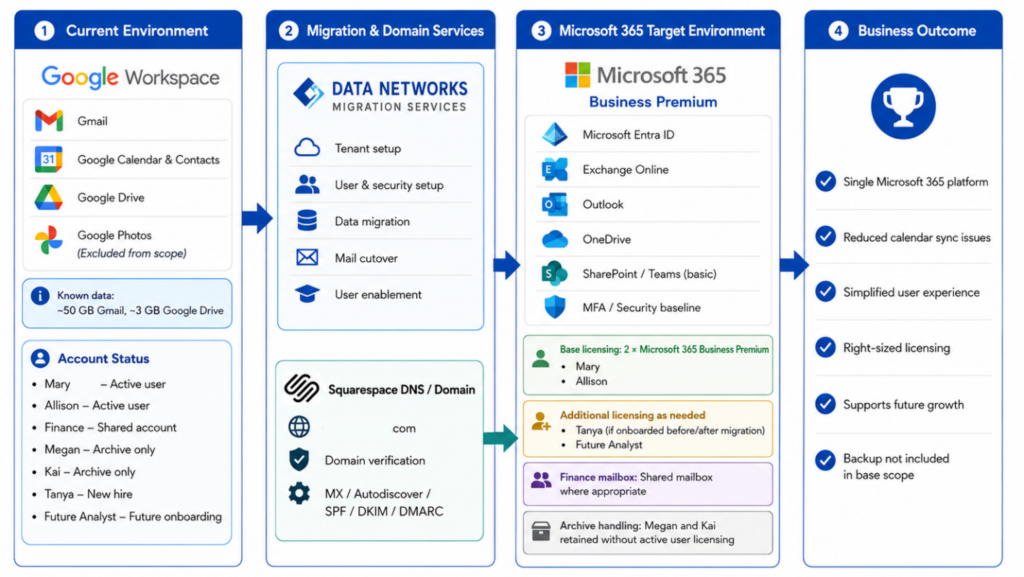
This approach provided a more efficient licensing model while creating a Microsoft 365 environment that could accommodate future employees without repeating the complexity of the existing dual-platform setup.
A Staged Migration to Microsoft 365 Business Premium
Data Networks configured and validated the Microsoft 365 tenant, user identities, licensing, Exchange Online, Microsoft Entra ID, domain settings, and core security controls before moving production services. Multi-factor authentication and appropriate identity protections were included as part of the Microsoft 365 security baseline.
The migration followed a staged approach designed to minimize business disruption. Data Networks prepared and validated the migration process before production cutover, then migrated approved Gmail, Google Calendar, Contacts, and Google Drive business data into the appropriate Microsoft 365 services.
Exchange Online was configured as the organization’s new email platform, with Outlook becoming the primary email and calendar experience. OneDrive, SharePoint, and Microsoft Teams access were also validated so users could begin working within a more unified Microsoft ecosystem.
Once the environment and migrated data were ready, Data Networks performed a controlled mail-flow cutover from Google Workspace to Exchange Online. DNS records were updated, inbound and outbound email were validated, and Outlook connectivity and mailbox access were confirmed for in-scope users.
The migration was also planned around the client’s preferred low-volume business period, reducing the potential operational impact of the transition.
Simplifying Collaboration and Supporting Future Growth
Following the migration, the organization gained a more centralized approach to productivity and collaboration. Instead of managing daily workflows across competing platforms, users can work primarily within Microsoft 365 for email, calendars, contacts, files, identity, and collaboration.
The move to Microsoft 365 Business Premium also establishes a stronger foundation for centralized identity and access management through Microsoft Entra ID and provides core security capabilities appropriate for a growing consulting organization. Consolidating services helps reduce application switching and account confusion while simplifying administration and future user onboarding.
Data Networks included a ten-business-day post-cutover remediation period to address issues directly attributable to the migration, such as missing migrated data, mailbox access problems, or mail-flow issues. Engineering documentation captured relevant Microsoft 365 configurations, DNS changes, migration results, and known post-migration items, giving the organization a clear operational record of its new environment.

By focusing on the services the organization actually needed rather than overbuilding the solution, Data Networks delivered a Google Workspace to Microsoft 365 migration that reduced platform friction, strengthened the organization’s Microsoft 365 foundation, and created a more scalable and supportable environment for future growth.
Tags: commercial, data center, datacenter